Vintage Rose Garden Vector Clip Art: A Designer’s Guide to Seamless Integration
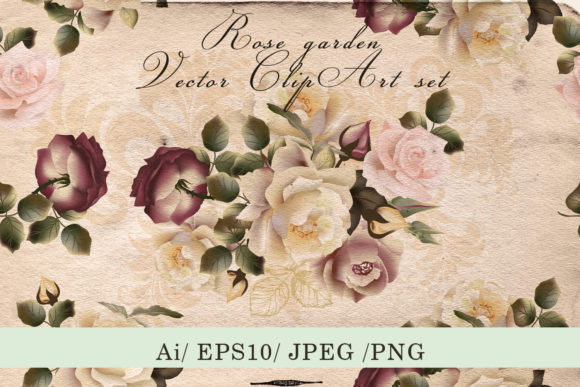
When you work with visual assets, the line between a good project and a great one often comes down to the details. Vintage rose garden vector clip art brings that fine level of detail into a format built for real-world use. This particular set—packed with 100 meticulously drawn elements—combines the soft, romantic feel of antique botanical illustrations with modern production flexibility. It includes everything from individual flower compositions to a seamless wallpaper design, all delivered in multiple vector and raster formats. For anyone planning wedding stationery, fabric patterns, home decor products, or branding projects, knowing how to integrate these assets effectively can save hours of rework and elevate the final result without technical headaches.
What the Set Actually Contains
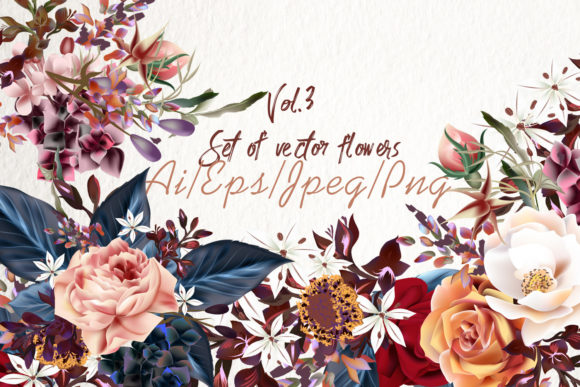
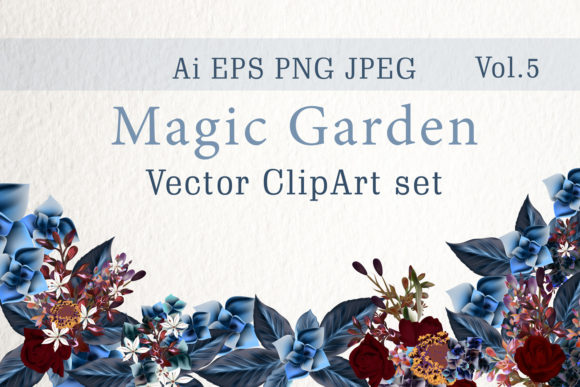
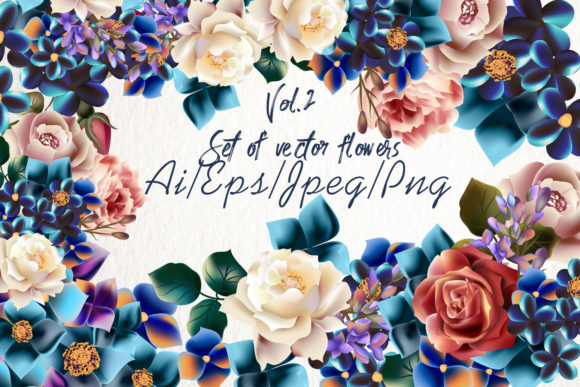
Before weaving these assets into a workflow, it helps to understand exactly what you are working with. The collection is not just a handful of isolated flower images. It arrives as a carefully organized package that respects both creative exploration and production precision. You get two separate but related groupings: a full set of individual floral elements and a pre-designed seamless wallpaper pattern. The flower set includes an Adobe Illustrator file (AiCS2) and an EPS10 file, ensuring broad compatibility across vector editing software. The wallpaper design also comes in both AiCS2 and EPS10 formats, ready to be tiled or recolored as needed.
For previewing and quick placement, the set provides high-resolution JPEG files—a 5000x3326 px preview for the entire composition and two JPEGs for the seamless wallpaper at 5000x5000 px and 5000x3333 px. If your project calls for transparency, seven transparent PNG files in high resolution allow you to drop pre-composed arrangements directly into layouts without isolating elements manually. A help file document rounds out the package, giving you a quick reference for licensing and usage basics. This combination of vector masters, raster snapshots, and ready-made transparent compositions means you rarely need to start from scratch.
Where Vintage Rose Garden Vector Clip Art Fits Into a Creative Process
Creative work rarely follows a single linear path, but you can map most design projects into a few broad phases: concept and mood boarding, asset creation or selection, layout and composition, refinement, and final output. Vintage rose garden vector clip art slips naturally into that middle stage. Instead of drawing every petal and leaf, you pull these hand-drawn vectors onto your canvas and begin arranging, recoloring, and scaling. Because the art is vector-based, you can resize a single bloom from a tiny card accent to a large-scale wall mural element without losing the fine line quality that makes the vintage style work.
Consider a wedding invitation designer working with a couple who wants a timeless garden theme. During the mood board phase, the designer can drop raster previews into a shared Pinterest board or a pitch deck. Once the concept is approved, the designer opens the AI or EPS file, extracts the needed flowers, and starts building the invitation layout. The seamless wallpaper file might serve as a background for an RSVP card or a website header. By using assets that already share a cohesive hand-drawn aesthetic, the designer avoids the subtle mismatch that often occurs when pulling elements from scattered sources. The result looks intentional, not pieced together.
Practical Integration with Common Design Tools
Most designers live inside Adobe Illustrator or an alternative vector editor. The AiCS2 files open directly in Illustrator with all layers and editable paths preserved. This matters because you are not working with a flattened image; you can click on a rose, change its fill to a soft blush pink, adjust stroke weight, or even modify anchor points to create a custom variation. For teams that rely on Affinity Designer, CorelDRAW, or Inkscape, the included EPS10 files offer a universal vector exchange format. Opening an EPS10 might require a small font substitution or path cleanup in some apps, but the core vector data remains intact.
If your workflow leans heavily on raster tools like Photoshop, the transparent PNGs become your go-to resource. Those seven high-resolution compositions save you the trouble of exporting from Illustrator just to test a layout. Drag a few PNGs into a Photoshop mockup of a fabric swatch or greeting card, and you can quickly gauge scale, color harmony, and spacing. For web and social media graphics, the JPEG preview files let you produce rapid prototypes without any vector software at all. A content creator planning a series of Instagram posts with a romantic botanical theme can use the flattened previews immediately while keeping the vectors ready for higher-fidelity print jobs later.
Using the Seamless Wallpaper in Pattern Workflows
The included wallpaper design is not a static background image; it is a true seamless repeat that can be applied to any surface. Fabric designers and surface pattern artists often build pattern swatches inside Adobe Illustrator. Here, you can take the AiCS2 wallpaper file, define a pattern swatch from it, and use that swatch to fill shapes of any size. Because the file is editable, you can also change the color palette—say, convert deep burgundy roses to dusty mauves—and instantly generate a new pattern variation. This approach works for wallpaper mockups, fabric sampling, and even product packaging concepts where a delicate floral wrap texture is needed.
For those working in Procreate or raster-based pattern tools, the 5000x5000 px JPEG preview of the seamless wallpaper can serve as a base layer. You can open it on a large canvas, duplicate and offset it to confirm seamlessness, and then paint over or adjust colors with a soft brush while preserving the intricate line art underneath. The key is that the vector original remains your master file. If a client later requests a different scale or a specific Pantone match, you return to the vector, make the adjustment cleanly, and re-export the raster tile. No pixelation, no loss of quality.
File Organization and Asset Management
Receiving a package with two AI files, two EPS files, multiple JPEGs, and seven PNGs can feel overwhelming if you do not organize them immediately. Spend five minutes creating a logical folder structure before you start designing. A simple system looks like this: a top-level folder named after the project or asset pack, with subfolders for “Vector Masters,” “Raster Previews,” “Transparent PNGs,” and “Documentation.” Place the AiCS2 and EPS10 files in the Vector Masters folder, the wallpaper JPEGs and composition previews in Raster Previews, the seven composition PNGs in Transparent PNGs, and the help file in Documentation. This might seem trivial, but when you revisit the project six months later—or when a teammate needs to pick up where you left off—the organization directly translates to efficiency.
Renaming files is another small practice that pays dividends. Instead of keeping generic filenames, add a short descriptor: “Vintage-Rose-Wallpaper-Seamless.jpg” or “Rose-Composition-3-Transparent.png.” This makes searching your asset library faster and reduces the risk of dropping the wrong image into a layout. If you use a digital asset management tool or Adobe Bridge, adding keywords like “vintage rose,” “botanical vector,” and “wedding floral” to the metadata will make these files discoverable across a larger library.
Ensuring Consistency Across Multiple Projects
One hidden benefit of using a dedicated clip art set rather than cobbling together free downloads is visual consistency. The 100 elements in this collection were drawn by the same hand, with a unified line weight, shading style, and overall proportion logic. When you pull a rose from one file and a leaf cluster from another within the same set, they sit together naturally. This consistency becomes crucial in brand identity projects or product lines where a recurring floral motif appears on business cards, packaging, signage, and web graphics. No matter the scale or medium, the vintage character holds steady.
To maintain quality control, always work from the vector originals when possible. Avoid repeatedly exporting a PNG from a previously exported JPEG; each conversion introduces subtle compression artifacts. Instead, establish an export preset in your design software that matches the final output requirements—say, a 300 DPI CMYK TIFF for print or a 150 DPI RGB PNG for screen use. Pull fresh exports from the vector files each time you need a new variation. This habit protects the delicate hand-drawn details that make the vintage rose garden style so appealing.
Long-Term Scalability and Adaptability
Vector art’s most celebrated advantage is infinite scalability, but its long-term value goes deeper. Design trends shift, but a well-drawn classic botanical illustration has enduring appeal. Five years from now, you might repurpose the same rose garden elements for a different project—perhaps a fabric collection, a children’s book illustration, or a restaurant menu. Because the files are resolution-independent, you are never stuck with an asset that worked for a 2-inch label but cannot stretch to a 10-foot backdrop.
Color also plays into long-term adaptability. The vector format allows you to quickly recolor any element using global swatches or hue adjustments. A deep autumn palette of rust and gold can become a springtime pastel scheme with a few clicks. If your client’s brand guidelines change, you adapt the flowers instead of starting over. Similarly, for non-designers who acquire the set, the transparent PNGs provide immediate usability without requiring any editing skills. A small business owner creating a simple flyer for a garden party can place the PNG compositions into Canva or Word and achieve a polished look without touching vector software.
Integrating with Physical Production Workflows
These assets bridge the gap between screen and surface. When preparing files for letterpress wedding invitations, the high-contrast line art translates beautifully to plates. The vector format ensures crisp output at the exact size needed, whether the print shop requires an EPS or an AI file. For fabric printing services that accept large-format digital files, the seamless wallpaper design can be set to repeat at a specific yardage dimension. Communicating with your printer becomes simpler when you can provide the original vector or a properly sized TIFF directly.
In home decor DIY projects, people often use the JPEG previews to print temporary test swatches at home before ordering expensive custom wallpaper. Print the 5000x5000 px wallpaper preview on standard letter-size paper and lay it out to judge scale and color in the actual room lighting. This low-stakes testing prevents costly mistakes and gives you confidence before committing to the final product.
Why This Approach Saves Decision Fatigue
Choosing assets is a constant, draining part of creative work. With a comprehensive set that includes individual elements, composed arrangements, and a ready-made pattern, you reduce the number of separate downloads, licenses, and style checks you need to perform. The cohesive nature of the pack means you spend less time evaluating “Will this leaf match that flower?” and more time on the actual design. For busy entrepreneurs and marketers running multiple campaigns, having a go-to collection of reliable, high-quality vintage clip art streamlines asset creation across invitations, social posts, product labels, and website banners.
The inclusion of a help file with clear usage guidance further removes friction. You do not have to wonder about licensing terms or worry about whether you can use the art in a physical product for sale. Instead, you can move forward with your work, confident that the asset’s legal and technical foundations are solid.
Ultimately, vintage rose garden vector clip art is not just a beautiful illustration set. It is a practical toolkit that fits into real design pipelines. By understanding the file formats, organizing the material intentionally, and integrating the assets into vector and raster workflows with care, you turn 100 hand-drawn elements into a versatile, long-lasting resource that supports everything from a quick social graphic to a full fabric collection.